
Close Menu

    Subscribe to Updates

    Get the latest creative news from FooBar about art, design and business.

    Latest Post

    4 Unexpected Games You Can Play on Your Phone in 2026 (That Didn’t Start as Mobile Games)

    July 30, 2026

    Xbox Project Helix Release Date and Price Estimates

    July 30, 2026

    Steam Users Have Limited Time to Claim 2026 Roguelike Completely Free of Charge

    July 30, 2026
    Facebook X (Twitter) Instagram
    Trending
    • 4 Unexpected Games You Can Play on Your Phone in 2026 (That Didn’t Start as Mobile Games)
    • Xbox Project Helix Release Date and Price Estimates
    • Steam Users Have Limited Time to Claim 2026 Roguelike Completely Free of Charge
    • Gears of War: E-Day’s new Horde may be the game’s most interesting mode, but it left me with more questions than answers
    • No More Room in Hell 2 launches August 11
    • Xbox chief wants to ‘invest in what players value’ after significant 2026 revenue drop
    • Not just one: OpenAI is building a ‘family of devices’ for its chatbots
    • Console Archives Doraemon launches July 30
    Facebook X (Twitter) Instagram YouTube
    Beteja – Gaming News, Reviews & Latest Releases
    • Home
    • Console Gaming
    • Esports
    • Latest News
    • Mobile Games
    • New Releases
    • PC Gaming
    • Reviews
      • Upcoming Games
    Beteja – Gaming News, Reviews & Latest Releases
    Home»Mobile Games»Astro Arena: 3vs3 Battle PvP: How to contact the customer support service
    Mobile Games

    Astro Arena: 3vs3 Battle PvP: How to contact the customer support service

    AdminBy AdminJuly 20, 2026No Comments3 Mins Read
    Facebook Twitter Pinterest LinkedIn Tumblr Email
    Astro Arena: 3vs3 Battle PvP: How to contact the customer support service
    Share
    Facebook Twitter LinkedIn Pinterest Email

    • Players might run into unforeseen issues when playing Astro Arena.
    • When that happens, use our Astro Arena Customer Support Guide for help.

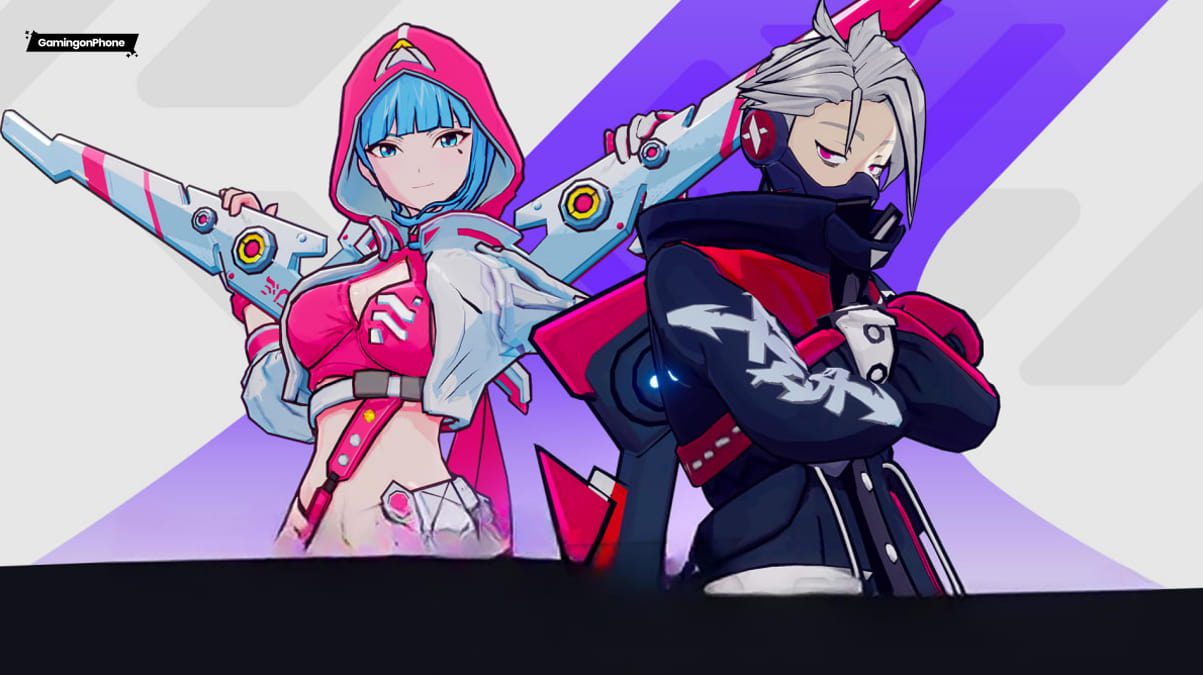
    Astro Arena: 3vs3 Battle PvP is a fast-paced action MOBA developed by KRAFTON, where players jump into competitive 3v3 battles using their heroes. Whether players are climbing the rankings or enjoying different game modes, there might be a few technical hiccups along the way. Luckily, contacting the Astro Arena customer support is easy.

    In this Astro Arena customer support guide: we’ll walk you through the available support options and help you resolve your issue faster. Also, check out our Beginners Guide for tips, and our Redeem Codes article for freebies.

    How to Contact via the in-game Customer Support Option

    The fastest way to contact support is through the in-game customer support menu. So whether you’re dealing with payment issues or in-game bugs, the in-game customer support menu should be your first stop.

    To contact customer support from inside Astro Arena, simply follow these steps:

    • Launch Astro Arena: 3vs3 Battle PvP and log in to your account.
    • From the main lobby, tap your Menu icon.
    • Next, open the Settings menu.
    • Then tap the Customer Service option under the Basic section.

    Contacting Customer Support in Astro Arena 3vs3 Battle PvP (Image via KRAFTON, Inc.)

    From there:

    • Browse the available FAQ articles to see whether your issue has already been answered.
    • If you can’t find a solution, tap the message icon at the top.
    • Choose your issue from the options.
    • Explain the issue properly.
    • Submit your report and wait for a reply.

    How to Contact via the Official Website of Astro Arena: 3vs3 Battle PvP

    Sometimes players might not be able to access the game at all due to an issue. Perhaps the game crashes before the main menu screen, or players can’t log into their account. In situations like these, visiting the official website is your next best bet.

    To reach the official Astro Arena website, follow these steps:

    • Open your preferred web browser.
    • Visit the official Astro Arena website.
    • Click on the Menu Icon on the right.
    • Then select the Support option.
    • Next, read the FAQs for a solution.
    • If your issue remains unresolved, locate the Contact US option at the bottom of the page.
    • Then submit your request with complete details.

    How to Contact the Developer Team Directly

    In dire situations, getting a hold of the developer directly may be the most effective solution. Although customer support should always be your first choice, developers also maintain official communication channels where players can stay updated and occasionally reach out regarding major issues.

    Players can follow and reach out through the official Astro Arena Discord, Instagram, and YouTube channel for updates and help. Also, the official support email (astroarena_support@krafton.com) is available for players to submit detailed reports on technical issues or account-related concerns. When contacting the developers directly, keep your message professional and easy to understand.

    And that’s it from our Astro Arena Customer Support Guide. For more guides, also check our other guides below:

    Did you find this Astro Arena Customer Support Guide useful? Let us know in the comments below!

    For more Mobile Gaming news and updates, join our WhatsApp Channel, Telegram Group, or Discord server. Also, follow us on Instagram, Twitter, and Google News for quick updates.

    Share. Facebook Twitter Pinterest LinkedIn Tumblr Email
    Admin
    • Website

    Related Posts

    4 Unexpected Games You Can Play on Your Phone in 2026 (That Didn’t Start as Mobile Games)

    July 30, 2026

    Not just one: OpenAI is building a ‘family of devices’ for its chatbots

    July 30, 2026

    Guillermo del Toro Says He Plays Angry Birds ‘Every Day’

    July 29, 2026

    All Skins, Price, and Availability

    July 29, 2026
    Add A Comment

    Comments are closed.

    Latest Post

    4 Unexpected Games You Can Play on Your Phone in 2026 (That Didn’t Start as Mobile Games)

    July 30, 2026

    Xbox Project Helix Release Date and Price Estimates

    July 30, 2026

    Steam Users Have Limited Time to Claim 2026 Roguelike Completely Free of Charge

    July 30, 2026

    Gears of War: E-Day’s new Horde may be the game’s most interesting mode, but it left me with more questions than answers

    July 30, 2026
    Top Reviews
    Mobile Games

    4 Unexpected Games You Can Play on Your Phone in 2026 (That Didn’t Start as Mobile Games)

    By Admin
    Mobile Games

    Not just one: OpenAI is building a ‘family of devices’ for its chatbots

    By Admin
    Mobile Games

    Guillermo del Toro Says He Plays Angry Birds ‘Every Day’

    By Admin
    Beteja – Gaming News, Reviews & Latest Releases
    Facebook Instagram YouTube
    • About Us
    • Contact Us
    • Privacy Policy
    • Terms & Conditions
    • Disclaimer
    © 2026 Beteja.com

    Type above and press Enter to search. Press Esc to cancel.