

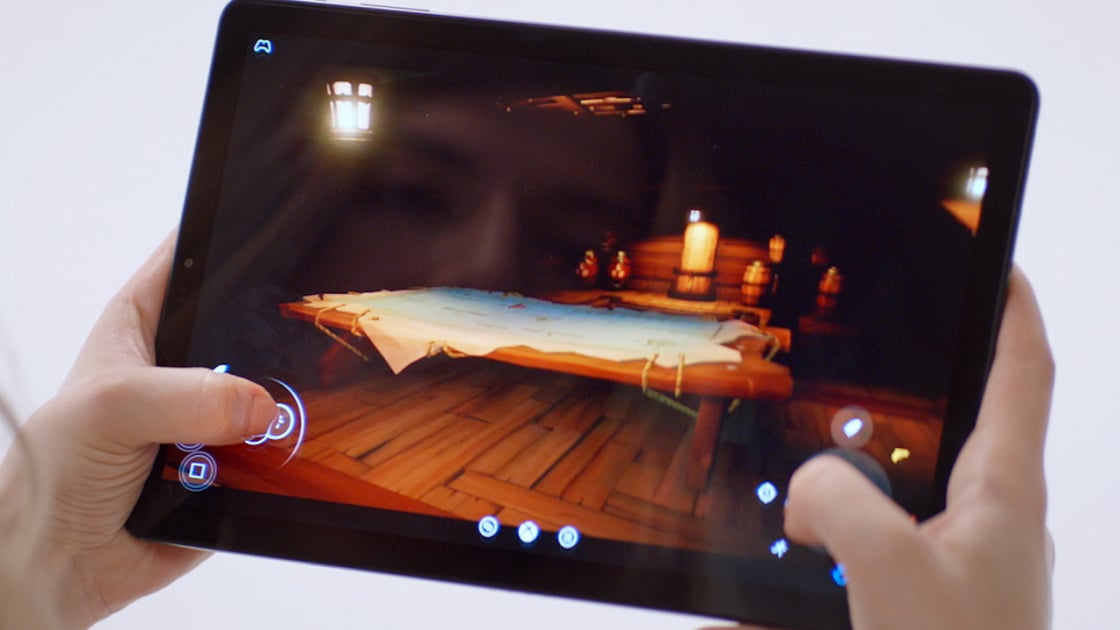
Game streaming services let you play new and classic titles as if you have a gaming PC or a console right in front of you—only they’re located in a server rack somewhere else in the country. They give you access to big gaming power for a monthly fee. All you need is a modest PC or mobile device with a strong internet connection. Game streaming has gotten significantly better over the years, delivering an experience that feels close to playing on local hardware. You’ll find our top-tested picks below, though no single one stands out as the best. They all have their own unique appeals depending on your game tastes, budget, and hardware.
Deeper Dive: Our Top Tested Picks
EDITORS’ NOTE
July 23, 2026 With this update, our list of game streaming services remains unchanged. Our remaining picks have been vetted for currency and availability.
(Credit: Xbox Game Studios)
(Credit: Xbox Game Studios)
Pros & Cons
-
Hundreds of games for Xbox and Windows PC
-
All Xbox Game Studios and Bethesda games are available on release day
-
Cloud gaming, EA Play, and Ubisoft+ services are included
-
Pricey
-
No discount for yearlong memberships
Why We Picked It
Priced at $23.99 per month, Xbox Game Pass Ultimate is an expensive service, but it offers hundreds of titles for Xbox/Windows PCs and a great streaming experience via Xbox Cloud Gaming. The streaming platform brings high-profile Xbox Games Studio titles, such as Forza Horizon 6 and Gears of War: Reloaded, to many devices.
Who It’s For
Hard-core Xbox fans. If you want to play first-party Xbox titles anywhere, you need Xbox Game Pass, which includes Xbox Cloud Gaming. The service lets you stream titles to a PC, an Xbox, or a mobile device, carrying over saves and achievements.
Learn More
Xbox Game Pass Ultimate
Review
(Credit: Nvidia)
(Credit: Nvidia)
Pros & Cons
-
Fantastic graphics
-
Excellent game performance
-
Remarkably responsive controls
-
Needs the absolute best network conditions to get the most out of it
-
Several big games aren’t supported
Why We Picked It
Nvidia GeForce Now doesn’t have a dedicated game catalog, but it lets you stream titles from your Epic Game Store, Steam, and UPlay libraries. You can jump in for free with an ad-supported tier and more than 2,000 ready-to-play games, limited to one-hour sessions at up to 1080p60. Upgrading to the $9.99 Performance plans removes the ads and grants access to a GeForce RTX-powered setup with ray tracing, HDR, 5.1-channel sound, ultrawide monitor support, and six-hour game sessions at up to 1440p 60. The $19.99 Ultimate tier unleashes a GeForce RTX 4080 or RTX 5080 GPU (when available, based on traffic and location) for eight-hour game sessions at up to 4K240, with ray tracing, HDR, 5.1- or 7.1-channel surround sound, DLSS 3 frame generation, and Cloud G-Sync. Note the monthly play limits and additional fees if you exceed them.
Who It’s For
PC gamers. Specifically, PC gamers who want the best possible gaming experience but don’t have the pricey hardware to deliver it.
Learn More
Nvidia GeForce Now
Review
(Credit: Amazon)
(Credit: Amazon)
Pros & Cons
-
Very low latency in most cases
-
Good overall performance
-
Amazon Prime offers some games for free
-
Most channels are reasonably priced
-
Works well in web browsers
-
Maximum 1080p graphics (for now)
-
Windows 10 app has some issues
-
The lowest-latency experience requires the Amazon Luna controller
Why We Picked It
Amazon doesn’t heavily promote its Luna game streaming service, which is a shame because you might already have it. Luna Standard comes with Amazon Prime and features a few dozen games, including bangers like Death Stranding Director’s Cut and Fallout 4: Game of the Year Edition. Upgrading to the $9.99 monthly Luna Premium tier adds several dozen more titles, including Madden NFL 26 and Tetris Effect: Connected. We strongly recommend getting the $69.99 Amazon Luna Controller, as it uses its own Wi-Fi connection to reduce lag (and makes it easy to switch between Luna-compatible devices).
Who It’s For
Amazon Prime subscribers. Luna Standard is a bundled Prime goodie, so you can stream a few fun titles on smart TVs, browsers, Amazon Fire devices, and Comcast hardware without forking over extra money.
Learn More
Amazon Luna
Review
(Credit: Antstream)
(Credit: Antstream)
Pros & Cons
-
Over 1,000 games
-
Multiple platforms supported
-
Online leaderboards
-
Niche appeal
-
Heavy focus on ’80s-era arcade and computer games
-
Interface can feel a bit clunky
Why We Picked It
If you like retro gaming, check out Antstream. This niche streaming service focuses almost exclusively on 1980s arcade releases (Pac-Man, R-Type) and home computer titles for the Amiga, Commodore 64, and ZX Spectrum (Manic Miner, Turrican II: The Final Fight). Featuring more than 1,300 games, Antstream has a huge streaming library. It’s dirt-cheap, too, available for $3.99 per month or $39.99 per year, and can run on nearly anything, including Android, iOS, PC, PlayStation, and Xbox.
Who It’s For
Retro gamers. Antstream is strictly for nostalgic players who love 1980s arcade titles and pre-Windows gaming computers.
Learn More
Antstream Arcade
Review
(Credit: Sony)
(Credit: Sony)
Pros & Cons
-
Entry-level Essential plan includes monthly games and cloud saves
-
Large, varied game libraries for higher membership tiers
-
Some excellent monthly game picks
-
Game libraries aren’t as compelling as the Xbox Game Pass selection
-
Mediocre streaming performance in testing
-
Lacks mobile clients for game streaming
Why We Picked It
If you want to play online games on your PS4 or PS5, you need a PlayStation Plus tier. And if you want game streaming, you need the top plan: PlayStation Plus Premium ($19.99 per month or $159.99 per year). Hundreds of PS4 and PS5 games are included, like Fallout 3 and Yakuza: Like a Dragon, plus gems dating as far back as the original PlayStation. Additionally, you can stream thousands more by purchasing the titles from the PlayStation Store (though you still need the subscription to stream them).
Who It’s For
Dedicated PlayStation fans. The cloud service is for anyone who wants to stream the entire PlayStation Plus Classics Catalog, as well as some PS5 games. PlayStation Plus Premium has one small hitch, though: You can only stream games on a PS4, PS5, PlayStation Portal, or PC. There’s no mobile gaming here.
Learn More
Sony PlayStation Plus Premium
Review
Buying Guide: The Best Game Streaming Services for 2026
What Is a Game Streaming Service?
Game streaming lets you remotely access hardware on the service’s servers. You use a client to log into a powerful PC over the internet, and the games you play run on that PC instead of your own hardware. The client simply provides a live feed of the video and audio coming from the server hardware, and sends all of your inputs to that server to translate into gaming commands. Essentially, you’re controlling a computer that isn’t in front of you, and seeing everything that computer displays.
What Do You Need to Stream Games?
As you can imagine, you need a fast network connection for these services to be useful. If your internet is slow or inconsistent, the inputs you send won’t come through properly, and you’ll experience gameplay lag and glitches. More than a fraction of a second of lag between your commands and the responding system can make a game unplayable.
Depending on the game streaming service, you’ll need an internet connection with speeds of at least 5Mbps to 20Mbps. You don’t need a wired hookup, but it helps, as does 5GHz Wi-Fi. You don’t want to skimp on your router for these services, and you should seriously consider a fiber connection if it’s available in your area.
With a fast and consistent connection, gameplay can feel instantaneous, with input lag of milliseconds. This makes most games perfectly playable, though it might still be too slow for competitive gaming. If you’re controlling a multiplayer shooter or fighting game, every frame can make a difference, and you might not want to rely on a streaming service in those cases.
Where Can You Stream Games?
Every publicly released game streaming service is available on Windows in some form, either as a dedicated app or in a web browser. This effectively lets you turn even a cheap work laptop into a high-end gaming PC. Computer clients have the added benefit of supporting even faster, more stable Ethernet connections, in addition to Wi-Fi.
You can also use a smartphone to play games on many streaming services. Every service except PlayStation Plus has an Android app. But the iOS game streaming ecosystem is a bit shakier, with some services like Xbox Game Pass Ultimate using a browser app as a workaround. Just remember you’ll be playing console and PC games on a smaller smartphone or tablet screen, which can feel awkward.
Several services also offer straight-to-TV options, either via a smart TV platform or with extra hardware like a media streamer. Amazon Luna works with Amazon Fire TV devices. Nvidia GeForce Now works on Google TV devices, and Xbox Game Pass Ultimate works on Fire TV devices; both can run on certain LG and Samsung TVs. PlayStation Plus only works on PC, PS4, PS5, and PlayStation Portal.
Recommended by Our Editors
How Do You Play Games on Streaming Services?
You almost certainly need a gamepad. Amazon Luna works with some Bluetooth gamepads, but the Luna Controller is the best way to play over that service. Nvidia GeForce Now works best with an Xbox Wireless Controller, but you can also use any XInput-compatible wireless gamepad. PlayStation Plus is compatible with DualShock 4, DualSense, and Xbox controllers.
Ready to Play? Start Here
If you’re looking for specific games to play through these services, check out The Best PC Games, The Best PlayStation 5 Games, and The Best Xbox Games. Curious about owning your hardware? Take a look at The Best Gaming PCs.
