

Overview of video game consoles.)
5. Audio Matters: Headsets and Speakers
Don’t underestimate the significance of good audio in your FPS gaming setup. Surround sound can give you a competitive edge by allowing you to hear footsteps or gunfire from different directions.
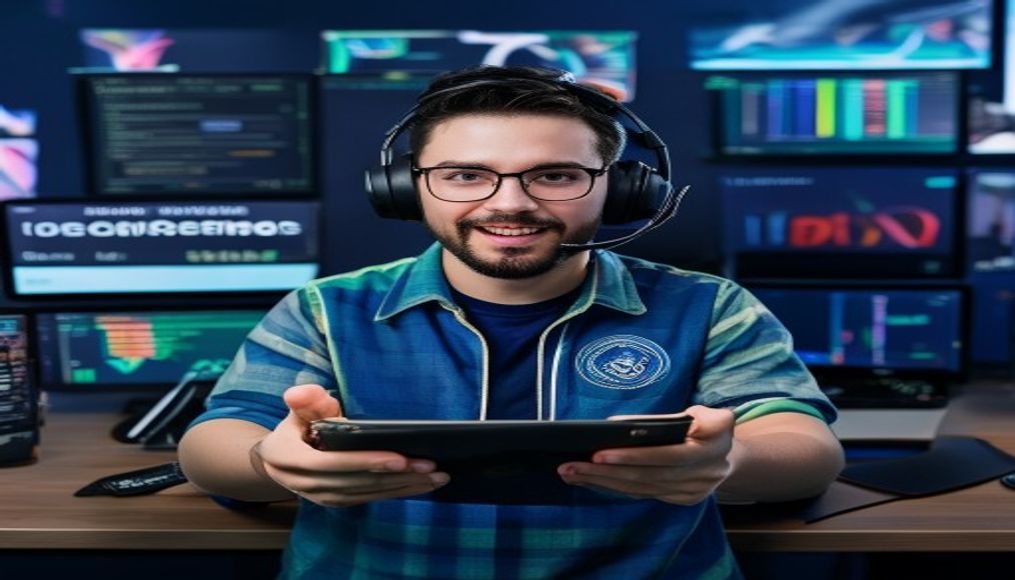
High-end gaming headsets typically range from $50 to $300. A good headset not only enhances immersion but also features a quality microphone for clear communication during online play. Brands like HyperX, SteelSeries, and Razer offer a variety of options tailored to gamers. Alternatively, if you prefer a speaker setup, expect to budget similarly, as quality speakers can also provide an immersive sound experience.
Consider investing in a dedicated sound card if you opt for desktop speakers. Sound cards can improve audio output and give you more control over sound settings, enhancing your gaming experience. Prices for sound cards can start from $50 and go up to $200 for high-end models, which can be a worthy investment if audio quality is important to you. For more context, see using stock photos for your gaming content.
6. Accessories to Consider: Desk and Chair
Your gaming environment plays a crucial role in your overall performance and comfort. Investing in a quality gaming chair and desk is often overlooked but can make a significant difference in your gaming sessions.
Gaming chairs range from $100 to $600, depending on brand and ergonomics. An ergonomic chair helps reduce fatigue during long gaming sessions. As for desks, you can find suitable gaming desks within the $100 to $400 range, especially those designed with cable management and sufficient surface area for multiple monitors. Creating a comfortable workspace can enhance your focus and performance.
You might also want to invest in accessories like a monitor stand or an adjustable chair mat for additional comfort and organization. Monitor stands can cost between $20 and $100, while chair mats typically range from $30 to $70. These small additions can help optimize your gaming station and improve ergonomics significantly, especially during extended play sessions.
7. Budgeting for Software: Games and Streaming Tools
Alongside hardware, don’t forget to factor in the cost of software in your FPS gaming setup cost. This includes the games themselves, which can vary widely. New releases typically cost around $60, while older titles may be available at discounted prices.
If you’re interested in streaming, consider budgeting for streaming software, subscription services, and potentially a capture card. Popular streaming platforms often require a monthly subscription or offer premium services to enhance your broadcast capabilities. This can add anywhere from $10 to $50 per month to your overall budget. For serious streamers or content creators, investing in high-quality streaming tools is essential to build an engaged audience.
Additionally, consider game subscription services like Xbox Game Pass or PlayStation Now, which provide access to a library of games for a monthly fee, typically around $10 to $15. If you play a wide variety of games, this could be a cost-effective way to expand your library without breaking the bank.
8. Additional Costs: Maintenance and Upgrades
Finally, consider ongoing costs related to maintaining and upgrading your FPS gaming setup. Technology evolves rapidly, and keeping your equipment up-to-date can be essential for optimal performance.
Set aside a portion of your budget for maintenance, such as cleaning your PC, replacing components, or upgrading parts like your GPU or RAM as needed. Depending on how often you choose to upgrade, this could range from $100 to $500 annually. Additionally, consider investing in quality surge protectors to safeguard your equipment from power surges, which can be a small but crucial expense in the long run.
Regularly updating drivers and software can also help maintain performance. You can often find free tools to help keep your system optimized, but some premium software may come at a cost of $30 to $100 per year, depending on the features you select. These small ongoing costs can accumulate but are essential for maintaining an effective gaming setup.
Related: You may also like
9. FAQ: Common Questions About FPS Gaming Setup Costs
What is the average cost of a good FPS gaming setup?
The average cost of a decent FPS gaming setup typically falls between $1,000 and $3,000, depending on your needs and whether you build or buy your components.
Is it better to build or buy a gaming PC?
Building your own gaming PC can save you money and provide more customization options. However, buying a pre-built model offers convenience and immediate usability, especially for those who may not be comfortable assembling their own hardware. (See: Physical activity guidelines for youth.)
How often should I upgrade my gaming setup?
It depends on your gaming habits and the pace of technological advancements. Generally, upgrading every 2-3 years is a good practice, especially for components like the GPU, as newer games demand more power.
Are gaming peripherals worth the investment?
Yes, investing in quality gaming peripherals like keyboards and mice can significantly improve your gaming experience. They offer enhanced performance, precision, and overall comfort during gameplay.
What should I prioritize in my setup?
Start with the most impactful components for your gaming style. For FPS gaming, prioritize a robust gaming PC and monitor, followed by peripherals and audio equipment. Comfort is also essential, so don’t overlook your desk and chair. For more context, see finding royalty free images for your gaming setup.
Can I create a budget FPS gaming setup without sacrificing quality?
Absolutely! It’s possible to create a solid FPS gaming setup on a budget. Look for sales, consider previous generation components, and prioritize essential features that enhance your gaming performance without overspending.
Navigating Your FPS Gaming Setup Cost
Creating the optimal FPS gaming setup is not just about splurging on the latest and greatest. It’s about understanding your unique needs as a gamer and budgeting accordingly. Whether you’re a casual player or a competitive gamer, knowing the FPS gaming setup cost can help you make informed decisions and prioritize your spending. By investing wisely in each component, you’ll be well on your way to crafting a gaming environment that enhances your skills and enjoyment.
Remember, the ultimate goal is to create a setup that combines performance, comfort, and personal flair. And as you embark on your gaming journey, keep the focus on quality over quantity. Choose components that cater specifically to your gaming style and preferences.
10. Comparing Budget Options vs. Premium Choices
When preparing your FPS gaming setup, it’s important to compare budget options versus premium choices to determine what fits your needs. Many gamers find themselves torn between saving money and investing in high-end gear. Let’s break down the pros and cons of each approach.
Budget Options: These setups might include last-gen graphics cards or entry-level CPUs. For instance, a budget gaming PC might utilize an AMD Ryzen 3 processor paired with a GTX 1650 graphics card. This configuration can handle popular FPS games at lower settings while keeping costs under $1,000. Budget peripherals like a membrane keyboard and a basic mouse can also save money but may not provide the same performance as their premium counterparts.
Pros: Lower initial investment, acceptable performance for casual gaming, and the ability to gradually upgrade components as needed.
Cons: Limited performance, less longevity, and potentially poor build quality in peripherals.
Premium Choices: Investing in top-tier components, like the latest NVIDIA RTX 4090 GPU or an Intel i9 processor, can provide superior performance and longevity. These setups can often handle the most demanding FPS titles at ultra settings, ensuring a seamless gaming experience.
Pros: Exceptional performance, better build quality, and enhanced aesthetics, often with RGB lighting and custom builds. (See: Growth of the video game industry.)
Cons: Higher upfront costs and the possibility of overspending on features you may not fully utilize.
Ultimately, your choice should align with your gaming aspirations and budget. Assess how often you play, the type of games you enjoy, and whether you’re planning to compete at high levels. This analysis will help you make a more informed decision.
11. Cost-Saving Strategies for Gamers
For gamers on a tighter budget, there are several strategies to save money while still building an effective FPS gaming setup. Here are some tips:
- Buy Used or Refurbished: Look for high-quality used components on platforms like eBay or Reddit. Refurbished items can also offer significant savings with a warranty.
- Sales and Discounts: Keep an eye out for seasonal sales, Black Friday deals, and bundle offers. Many retailers offer discounts on gaming hardware.
- DIY Upgrades: Instead of buying a new gaming PC, consider upgrading individual components like RAM or the graphics card to extend the life of your current setup.
- Join Loyalty Programs: Many retailers and gaming stores have rewards programs that allow you to earn points and discounts.
- Consider Open-Source Software: Instead of purchasing software like Windows or premium gaming platforms, explore open-source alternatives that can save you money.
By employing these strategies, you can stretch your gaming budget further and get the most out of your investment.
12. Future Trends in FPS Gaming Setup Costs
As technology continues to evolve rapidly, so do the costs associated with FPS gaming setups. Emerging trends can impact how much you should budget for your gaming rig in the coming years. Here are some trends to keep an eye on:
Cloud Gaming: Services like NVIDIA GeForce NOW and Google Stadia are changing the landscape of gaming by allowing players to stream games without needing high-end hardware. As cloud gaming becomes more prevalent, the need for expensive setups may decrease, allowing for budget-friendly gaming experiences.
VR Gaming: The rise of virtual reality gaming means that, while initial costs can be high for VR headsets and compatible hardware, the gaming experience can be vastly enhanced. The integration of VR in FPS titles can redefine gameplay, making it a worthwhile investment for enthusiasts.
Advancements in Graphics Tech: With new graphics technologies like ray tracing becoming more mainstream, it’s likely that more budget-friendly options will emerge over time, allowing gamers to enjoy high-quality visuals without breaking the bank.
As you plan your FPS gaming setup, consider these trends and how they might impact your overall costs in the near future. Staying informed will help you make smarter purchasing decisions.
“`
Frequently Asked Questions
What is the average cost of a gaming setup for FPS?
The average cost of a solid FPS gaming setup ranges from $1,000 to over $3,000. This price includes essential components like a gaming PC, monitor, keyboard, and mouse, with costs varying based on whether you opt for basic or high-performance gear.
Should I build my own gaming PC or buy pre-built?
Building your own gaming PC can save money and allow for customization, while pre-built models offer convenience and immediate performance. Your choice should depend on your technical skills, budget, and how quickly you want to start gaming.
What components are essential for an FPS gaming setup?
Essential components for an FPS gaming setup include a powerful gaming PC, monitor, keyboard, mouse, and potentially a gaming headset. Each of these elements plays a crucial role in enhancing your overall gaming experience.
How much should I spend on a gaming monitor?
A quality gaming monitor can range from $200 to over $1,000, depending on factors like refresh rate, resolution, and size. For competitive FPS gaming, consider investing in a monitor with at least a 144Hz refresh rate for smoother gameplay.
What is the best budget for a high-performance gaming PC?
For a high-performance gaming PC tailored for FPS games, you should budget at least $1,000 to $1,500 for mid-range options. If you aim for top-tier performance, consider spending upwards of $2,000 on high-end graphics cards and processors.
Agree or disagree? Drop a comment and tell us what you think.
