

Recently, we got to try out the 55-inch model of the Samsung S85F OLED, a TV that promises to be a great partner for console gaming, as well as movie/series binge-watching.
As someone who usually prefers to play on consoles, I was definitely interested in trying out this new Samsung TV, especially given that it’s an OLED screen. This is partly due to curiosity, as I’m currently using a 2025 model Samsung QN90F 50-inch, which is a Neo QLED TV. As such, I was curious to see if the difference between Samsung’s OLED and Neo QLED tech is noticeable for gaming and movie-watching.
Before getting into the TV’s picture quality for these scenarios, let’s first look at its design.
Design and Connectivity
As expected from a modern Samsung TV, the S85F has slim bezels and an incredibly thin frame. Because of this, the TV is light enough that it’s not that hard to lift by yourself. Thanks to this, it’s easy to set up on a table. The lightness also means it’s fairly easy to mount; great if you prefer to mount your TV to a wall.
I usually prefer one thick TV base in the middle instead of thinner legs on the sides, as they feel a bit sturdier, not to mention that they should fit smaller tables. Because of how slim and light the S85F is, the included legs shouldn’t be an issue, as they should have no issues holding up the TV’s weight. Plus, I like that you can set the legs closer to the middle, which is helpful if your TV table/stand is a bit on the smaller side (which is the case for me).
For connectivity, the TV has four HDMI ports that support up to 4K120Hz, as well as 2 USB-A ports, an Ethernet port, a Digital Audio Out, and a cable input. Thanks to these, you can connect up to four devices, meaning you can keep a PS5, Switch, and PC connected, while still having one port open. Most users should be satisfied with the connectivity of this device, especially as it also has a fairly reliable Bluetooth 5.3 connection.
Binge-Watching Factor
So, now let’s move on to picture quality. It’s first important to understand Samsung’s display tech, though. An OLED screen is something most users should be familiar with, as it’s a screen tech where each pixel has its own light, meaning it produces vibrant colors and true blacks. The tradeoff with getting an OLED TV is brightness, as its max brightness (especially for HDR) isn’t as high as a QLED TV.
Samsung also offers plenty of QLED TVs. These displays use quantum dots that enhance colors. While they also offer deep blacks, OLEDs still have them beat in this aspect generally. What QLED TVs offer instead is a brighter screen, great not only for HDR content, but also for watching content in a bright room.
As my TV at home uses Samsung’s Neo QLED tech (which is essentially the brand’s more advanced QLED option), I was curious to see if watching movies on an OLED is different. After trying out the S85F, I can say that this OLED TV’s colors are truly vibrant, complemented by deep blacks. Thus, watching 4K content on this screen is great, especially in a dark room, as you get the full OLED experience. Admittedly, unless you compare a QLED or OLED side-by-side, it’s hard to tell the difference in quality as they’re both great.
So, what about in a bright room? Well, the S85F does not disappoint. Sure, its peak brightness isn’t as high as some QLED TVs, but you should still have a great time watching videos in a brightly-lit living room or bedroom. It also helps that it has an anti-reflective coating, which does lessen reflections (but not to the level of the matte coatings in more premium Samsung TVs).
Also, it’s worth noting that, while the TV shines when you play proper 4K content, its 4K AI upscaling works quite well for Full HD content. So, even if most of the streaming subscriptions you have are just Full HD, you should still get a great image on the S85F.
Gaming Visuals
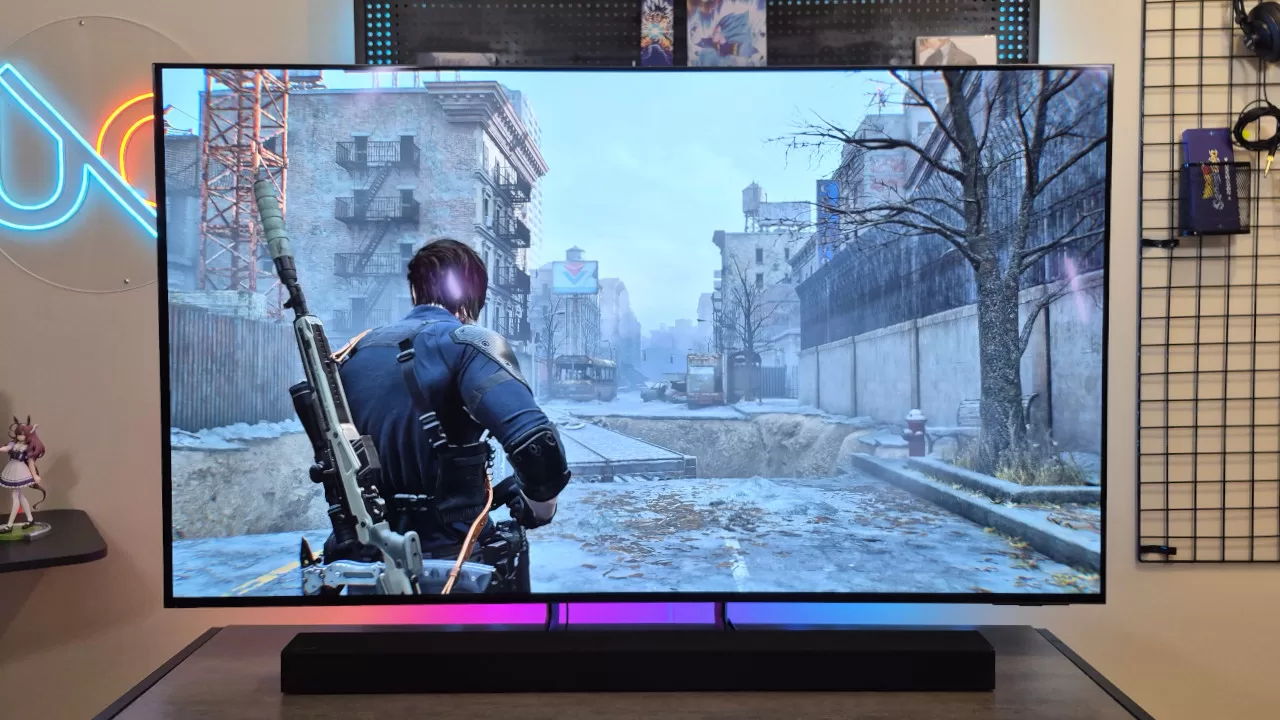
For gaming, the S85F is excellent, as the vibrant colors and true blacks of the OLED screen mean games (especially big triple-A titles) look great.
Along with the great picture quality, what we liked about the TV is that it has Motion Xcelerator 120Hz, meaning it can play games at up to 120Hz. Combined with the fact that it has Variable Refresh Rate support, you can enjoy a smooth, tear-free gaming experience when you’re playing on a PS5. As for PC, you’ll be happy to know that this TV also has FreeSync Premium Pro support.
We also like that the TV is responsive, even at the max refresh rate. Thanks to this, you won’t feel any noticeable input lag, which is good news if you’re planning to play multiplayer console games on this TV.
When playing, you can easily access gaming features via the Game Mode, which you can open by simply long-pressing the Play/Pause button. I found the Game Mode to be easy to use and also fairly unobtrusive, which is a plus for any smart TV.
Audio Quality
If you’re using this TV without a speaker, you should still get fairly good audio quality from its onboard speakers. This is a pleasant surprise, especially given how slim the TV is.
Whether gaming or binge-watching movies, the onboard audio sounds clear and gets quite loud. It also helps that it has a surprisingly decent low-end extension. While not quite speaker-like, the TV’s built-in speakers are not bad at all.
Of course, having a surround sound speaker setup or a soundbar will give you better audio. During our time with the TV, we got to try it with the Samsung T420 Soundbar, which not only sounded great but was also easy to set up.
Everyday Reliability
As with the rest of Samsung’s TV lineup, the S85F uses Tizen OS. This OS is fairly easy to navigate and use. In particular, the TV’s picture and other settings should be simple to tweak. This is great as it meant we were able to turn off modern TV features that we don’t like quite easily, such as motion smoothing (thankfully, this is turned off by default in Game Mode).
Another good thing with the TV’s OS is that it is smooth and responsive to navigate, which isn’t something you can say for other TVs. Plus, Samsung promises that this will get 7 years of OS upgrades. Hopefully, though, support is extended in the years after.
It’s not all perfect when it comes to the Tizen though. For one, there are times when it displays ads on the home screen. As a premium TV, seeing ads can be a bit of a letdown. More than this though, we do wish that more apps get released on Tizen OS, as it lacks the app library of Google TV. Because of this, I had to use the browser to watch NHK World Videos, as the NHK app isn’t available on the TV.
Samsung S85F OLED 55-inch TV – Final Verdict
Overall, the Samsung S85F OLED is a great TV for movie/series watching and gaming. The OLED screen’s vibrant colors mean watching movies is a treat, especially in a dark room. It should also be good for everyday use in a bright room. Plus, the inclusion of 120Hz and VRR support makes it a great partner for console gamers.
While there are some things we would like to see improved on the software side, this Samsung OLED TV should still be a worthy splurge for gamers looking for a new TV to pair with their gaming console.
