

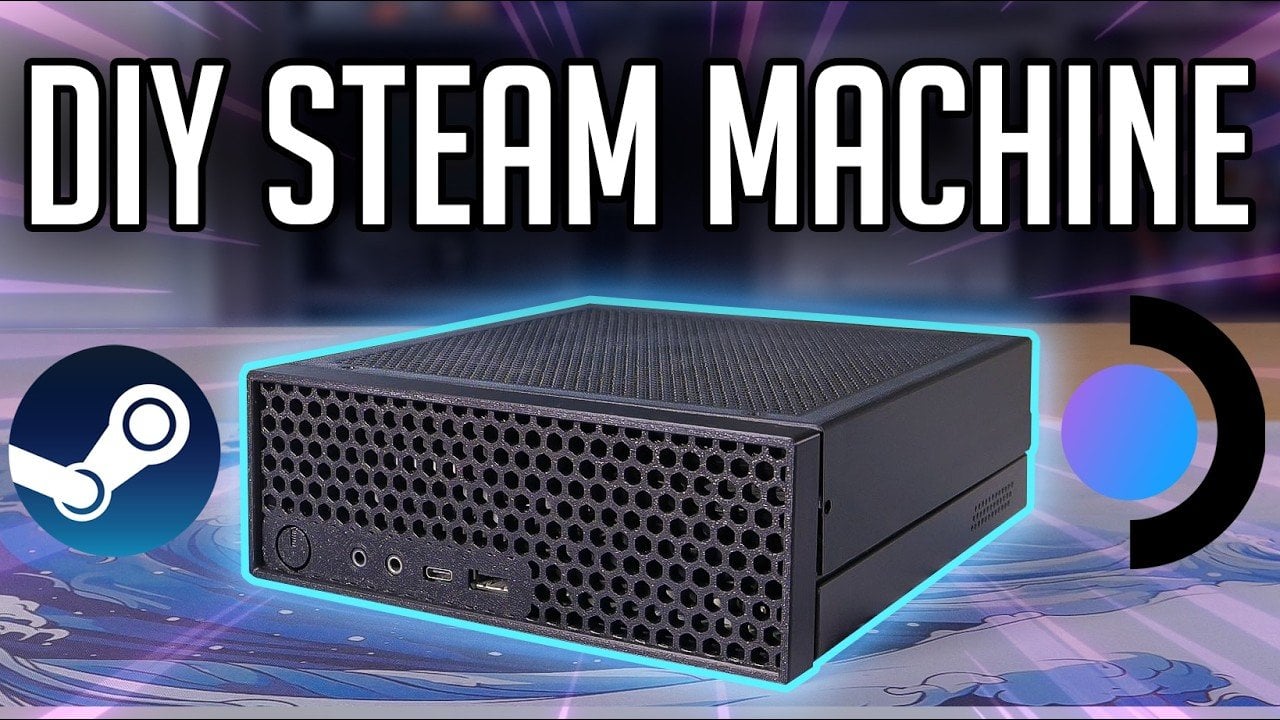
Valve’s Steam Machine was designed to merge PC gaming flexibility with console simplicity, but delays and high costs left it out of reach for many. In response, Tech By Matt created a DIY alternative for $350, starting with a Lenovo M720Q mini PC. The build features upgrades like an AMD RX6400 GPU, a PCIe riser, and custom 3D-printed covers, resulting in a compact system capable of native gaming, streaming, and emulation, all while staying budget-friendly.
This deep dive covers the full process, including hardware upgrades, software configuration, and cost-saving tips. You’ll learn how to set up Steam OS and Batocera for a versatile gaming experience, how to optimize power and cooling for upgraded components, and what compromises to expect when balancing performance with affordability.
Why Build a DIY Steam Machine?
TL;DR Key Takeaways :
- The Steam Machine concept by Valve faced criticism for its high price (over $700) and indefinite release date, prompting gamers to explore DIY alternatives.
- A DIY Steam Machine can be built for as low as $350, focusing on affordability, versatility (native gaming, streaming, and emulation), and a compact, console-like design.
- Key hardware upgrades include a Lenovo M720Q mini PC, AMD RX6400 GPU (for Linux compatibility), a PCIe adapter, and a higher-wattage power supply, with custom 3D-printed covers enhancing airflow and aesthetics.
- Software setup includes Steam OS for native gaming, Sunlight/Moonlight for game streaming, and Batocera for retro console emulation, making sure a versatile gaming experience.
- Performance highlights include modest native gaming capabilities, excellent game streaming with 4K support, and outstanding emulation performance, making it a practical and affordable alternative to Valve’s Steam Machine.
Valve’s Steam Machine was envisioned as a hybrid solution, combining the versatility of a PC with the ease of a console. However, its high cost and uncertain availability have made it less accessible to the average gamer. If you’re seeking a gaming system that supports native gaming, game streaming, and emulation without exceeding your budget, a DIY Steam Machine is a practical and rewarding alternative.
A specific project set out to build a system with a budget of $350, focusing on three primary objectives:
- Affordability: Achieving a cost-effective solution without sacrificing essential functionality.
- Versatility: Making sure the system could handle a variety of gaming needs, from modern titles to retro classics.
- Compact Design: Creating a sleek, space-efficient system suitable for a living room setup.
By building your own Steam Machine, you can replicate Valve’s vision at a fraction of the cost while enjoying the freedom to customize the system to your preferences.
Defining Goals for the Build
Before starting the project, it’s crucial to establish clear goals to guide your decisions. For this build, the objectives were straightforward:
- Compact Form Factor: The system needed to resemble a console in size and design to fit seamlessly into a living room environment.
- Gaming Versatility: The build had to support native gaming, game streaming, and emulation to cover a wide range of gaming scenarios.
- Budget-Friendly: Staying within a $350 budget was essential to ensure affordability without compromising performance.
These goals shaped the selection of hardware and software, making sure the final product met both functional and aesthetic expectations.
The Steam Machine Got Delayed… So I Built My Own!
Here is a selection of other guides from our extensive library of content you may find of interest on Steam Machine.
Hardware Selection and Challenges
The foundation of this DIY Steam Machine was a Lenovo M720Q mini PC, purchased for $100. Its compact size and affordability made it an excellent starting point. However, achieving gaming-grade performance required several strategic upgrades:
- GPU: An AMD RX6400 was chosen for its power efficiency and strong Linux compatibility. Nvidia GPUs were avoided due to known driver issues on Linux systems, which could compromise performance and stability.
- PCIe Adapter: A riser was used to connect the GPU to the mini PC’s limited expansion slot, allowing the integration of a dedicated graphics card.
- Power Supply: The stock power supply was replaced with a higher-wattage unit to support the upgraded GPU and ensure reliable performance.
These upgrades introduced challenges, such as fitting the GPU into the compact case and managing airflow to prevent overheating. To address these issues, custom 3D-printed covers were designed. These modifications not only improved airflow but also enhanced the system’s overall appearance, giving it a polished, console-like look.
Software Configuration for Gaming and Emulation
The software setup was critical to maximizing the system’s versatility and performance. The following configurations were implemented to meet the project’s goals:
- Native Gaming: Steam OS was installed to provide a seamless interface for accessing the Steam library and running Linux-compatible games. This ensured a smooth and user-friendly gaming experience.
- Game Streaming: Sunlight and Moonlight were configured to stream games from a more powerful primary PC. This setup allowed for smooth 4K gameplay with minimal latency, making it an excellent solution for demanding titles.
- Emulation: A separate drive was dedicated to Batocera, a Linux-based emulation platform. This enabled the system to support a wide range of retro consoles, from the NES to the PlayStation 2, offering a nostalgic gaming experience.
This combination of software ensured the system could handle a variety of gaming scenarios, from modern AAA titles to retro classics, making it a versatile gaming solution.
Performance Insights: What You Can Expect
The DIY Steam Machine delivered varying levels of performance depending on the use case:
- Native Gaming: Performance was modest, with demanding games like Cyberpunk 2077 running at 1080p low settings at around 50 FPS. However, less resource-intensive games performed smoothly, making native gaming viable for many titles.
- Game Streaming: Streaming from a more powerful PC provided a superior experience, delivering smooth 4K gameplay with minimal latency. This method proved ideal for high-performance gaming.
- Emulation: The system excelled in emulation, with Batocera handling retro gaming effortlessly. It supported a wide range of older consoles with excellent performance, making it a standout feature of the build.
While native gaming performance was limited by the hardware, the system’s strengths in game streaming and emulation made it a versatile and capable gaming solution.
Custom Modifications: Enhancing Design and Functionality
To achieve a console-like appearance, custom 3D-printed covers were created. These modifications served dual purposes:
- Aesthetic Appeal: The covers gave the system a polished, professional look, allowing it to blend seamlessly into a living room setup.
- Improved Airflow: The custom covers were designed to enhance ventilation, making sure the upgraded GPU and power supply operated efficiently without overheating.
The result was a compact, visually appealing system that combined practicality with style, demonstrating how thoughtful design can elevate a DIY project.
A Practical and Affordable Alternative
Building a DIY Steam Machine offers a unique opportunity to create a gaming system tailored to your needs. By combining affordable hardware, open source software, and custom modifications, this project achieved its goals of cost-effectiveness, functionality, and design. While native gaming performance was modest, the system excelled in game streaming and emulation, providing a versatile gaming experience. If you’re considering a similar project, AMD GPUs are highly recommended for their superior Linux compatibility. This DIY approach not only saves money but also delivers a personalized gaming solution, making it a worthwhile alternative to Valve’s Steam Machine.
Media Credit: Tech By Matt
Filed Under: Gaming News, Guides
Disclosure: Some of our articles include affiliate links. If you buy something through one of these links, Geeky Gadgets may earn an affiliate commission. Learn about our Disclosure Policy.
