

We’ve looked at the RedMagic phone series quite a few times on this site. This is maybe not surprising, given we’re all about Android gaming, and they create some of the most well-known gaming phones around. If someone’s trying to test if an emulator can run a console title on a phone, a RedMagic phone is usually the one to try it on to make sure any performance problems are the game and not the phone.
So naturally when we were offered a look at the new RedMagic 11S Pro, we were eager to get our hands on it, and see how far things have come since the 10th editions. Here’s what I learned from my time with the 11S Pro.
The Outside
There’s a pattern with the RedMagic series in terms of outward aesthetics that you’ll probably know if you’re already familiar with the series. The Air versions of the new phones tend to opt for a more understated look, appearing very much like an everyday Android phone, if a tad thicker. The Pro tends to lean more into the ‘gamer’ aesthetic, and has some kinda sci-fi-looking touches.
Casing
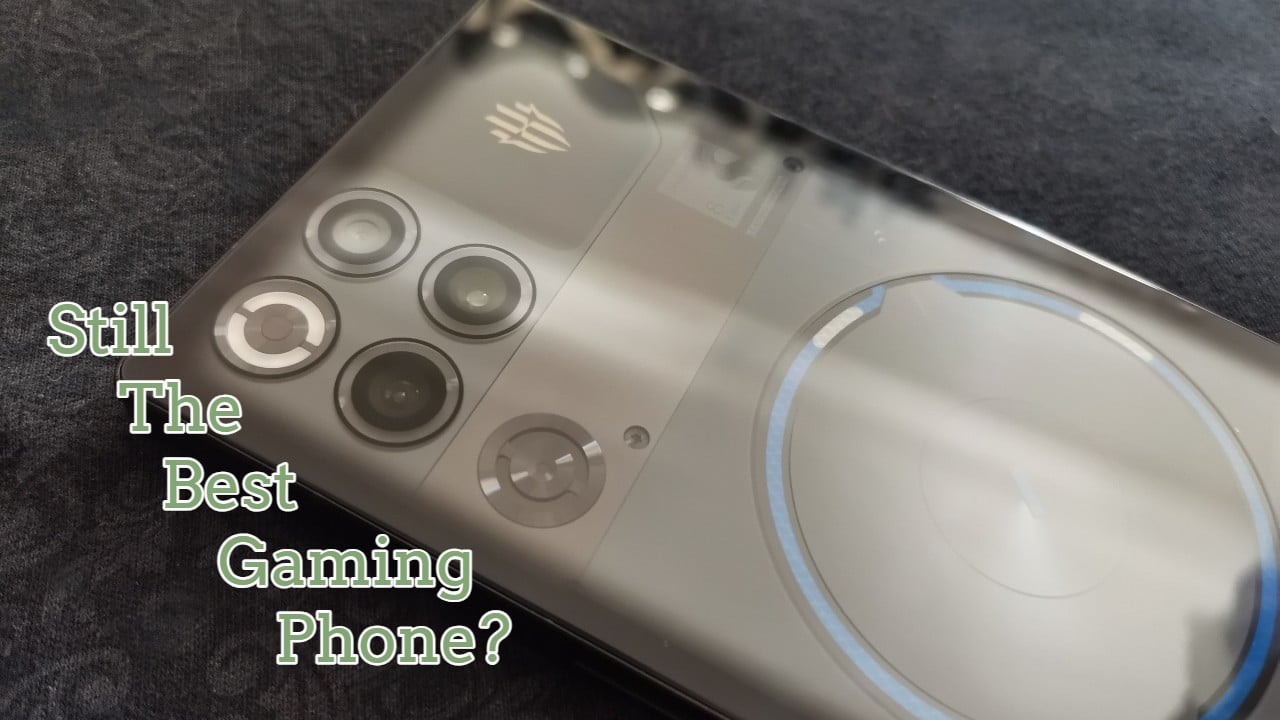
The newest model is no exception to this, with a transparent back to it that gives you a look into the cooling system, like a modern-day version of the see-through game Game Boy Colors. It also comes with RGB lighting.
Jaded as I am I thought I was going to find this kind of gimmicky but, man, if I didn’t audibly say ‘Oh that’s cool’ when I loaded up a game and saw the blue coolant circulating around through the back. It unlocked my inner eight year old for a second. If taking some joy in having a tiny lava lamp in the back of my phone is wrong, I don’t want to be right. As you might expect, it’s heavier than your average phone. That and the glass on the front and back means a protective case is highly recommended. Luckily, there was a translucent one bundled in. (Though it does diminish how fun it is to watch the coolant swirling about.)
Buttons
The outside has most of the standard buttons, and a few notable additions. First, it has shoulder buttons, like handheld console. (Emulator users, rejoice.) Secondly, it has a headphone jack, something that kind of surprised me. I’m so used to much older phones than this submitting to wireless-only world. I actually had to confirm in the start guide that that was indeed what it was. It was honestly a nice surprise that they’ve given you the option to attach wired headphones if you want to. (It’s only one jack though, so no dual-jack devices.)
The Phone
As you might expect from a high end gaming phone, the RedMagic 11S Pro is pretty stacked when it comes to hardware. It’s powered by the Snapdragon 8 Elite Gen 5 Leading Version. The version I got to try packed 16GM of RAM, and 512GB of storage space.
It comes with a 2688 × 1216 144Hz screen as standard.
The cooling on the phone is very extensive, with a vapour chamber, an active cooling fan, and the above mentioned liquid cooling all available to stop your phone exploding when you try and run modded Minecraft on it. It’s impressive they’ve managed to pack that much in.
The phones boasts a 7,500mAh, which frankly, it needs to deliver on the portable gaming side, and supports various charging options for itself, and reverse charging for other USB C devices.
The cameras are a 50MP back camera, a 16MP front one, and another 50MP wide angle. The photo mode is more or less what you’d expect, though does contain a few cool features, like a Photo ID mode for getting the right ratio for passport photos, or a monocolour mode that will only highlight certain colours and greyscale everything else. It’s nothing crazy, but there are some fun options.
The Features
I asked Mora if she’d like to appear in the article, and she said yes, but only with the phone in shot.
As you might expect, the phone’s features are very geared towards gaming. In that regard there are a lot of impressive and thoughtful additions. Most of these are contained the in the Gaming Center, which you can access with either an icon on the home screen, or a physical switch on the side of the device.
Gaming Center
Loading up the gaming mode will present you with a new UI. You get all your games in easy reach, along with stats on them. You can tweak settings for each game individually, which is very handy. In fact, there is a ton of options to customize your experience, which feels quite refreshing in the mobile world.
There is assistance for linking up devices, and a whole library of plugins to enhance your gaming experience. These can be things like timers, measuring aids, picture enhancers, and 4D vibration function. It’s pretty extensive. Though some of the translations are still a tiny bit wonky as they were last time I checked the plugins out. One of the plugins is still offering to help me find the hidden Lord Voldemorts in the grass. That’s either some kind of translation error or hidden Lord Voldemorts are a far bigger problem in gaming than I’m aware of.
Mora
Then, there’s Mora. What do I say about Mora? She’s the RedMagic mascot, an anime girl with a major preoccupation with oolong tea. You can put her on your home screen and she’ll give running commentary on your day. You can ask her questions and she’ll answer (that is, an LLM with Mora’s persona will), you can set her as your alarm and listen to her get progressively more annoyed as you miss your first and second alarms.
In keeping with the highly customizable nature of this all, Mora is entirely optional, and has a lot of options to tweak. You can have Mora only speak up on certain Wi-Fi networks, or keep quiet on mobile data. This avoids some potentially awkward ‘using Personality A with Friend Group B’ as your home screen waifu starts calling you Captain and talking about sending you some oolong midway through a work call.
Since last time I saw her, Mora has been fleshed out. She’s got an intro sequence, she’s got deep lore, and there are various different looks for her.
Now I’ve said it before, and I’ll say it again. I am not really the target audience for Mora. I never really wished for an anime girl in my phone, but I did give it a good faith try, and her running commentary is at least a little endearing. Maybe they need to program her to stage an intervention if you get trapped in a gacha cycle.
The Experience
I spent a bit of time messing around with the RedMagic 11S Pro, and naturally my first test after completing setup was to fire up a game. Fortunately, I was able to do a pretty seamless copy of the apps installed on my regular phone, and so my Play Pass downloads showed up almost immediately.
I booted up Dredge and played for a little while. As it’s a full 3D title, I thought that might be a good test of how well the extensive cooling system works. Sure enough, the blue liquid started swirling around on the backing panel, and I heard the fan kick up into operation (though it was quieter than I might have expected). The game ran flawlessly.
This was during the heat wave that is currently slamming the UK. I did notice after a while that I could feel a bit of warmth in the casing on one side, but I suspect had I had the case on I would not have noticed. Given my ordinary phone becomes a hazard to my hand trying to handle Spotify on a warm day, I think the cooling is doing a decent job.
The screen on the 11S Pro is brilliant picture-wise. Everything looks very sharp and vibrant, and the touchscreen feels very responsive.
Aside from the gaming side, the RedMagic 11S Pro operates mostly like your average Android phone. Having reviewed previous versions in the series, it does feel like the general user experience has gotten less quirky over the years. I could quite easily mistake its regular usage for about any other Android phone out there, and I mean that in a good way. I do want a phone that is also a phone, after all.
Things I Disliked
While some of the things I have criticised RedMagic phones over in the past has been improved on at this point, a few gripes remain. One is still putting a proprietary browser I won’t use on the home screen, but that’s a minor one.
Something I did struggle with in some major way, was the screen itself. While it was gorgeous picture-wise, I found myself hitting a slightly raised edge with my finger. I’m not sure if the screen is a bit raised, or if it was a pre-installed screen protector (surprisingly enough I didn’t dare try to pry off a bit of a brand new phone on the first try) but, it’s an otherwise rough edge that I realized, to a bit of dismay, left my hands kind of sore after a session of gaming with it. Putting the case on seemed to mitigate this some, but it seems like kind of an uncharacteristic oversight from RedMagic, who usually seem to think of everything. I might have just been unfortunate in that regard.
Overall Verdict
The RedMagic 11S Pro is a worthy successor to the series. It’s powerful, packed with features that can improve your overall experience. It is thoughtfully designed, and seems to improve upon its predecessors. I have an issue with its screen edges, but overall I think it’s a good choice if you are serious about gaming, or if you want to be woken up by a progressively more frustrated sci fi anime girl.
If you like the look of it, you can check it out on the official website.
