

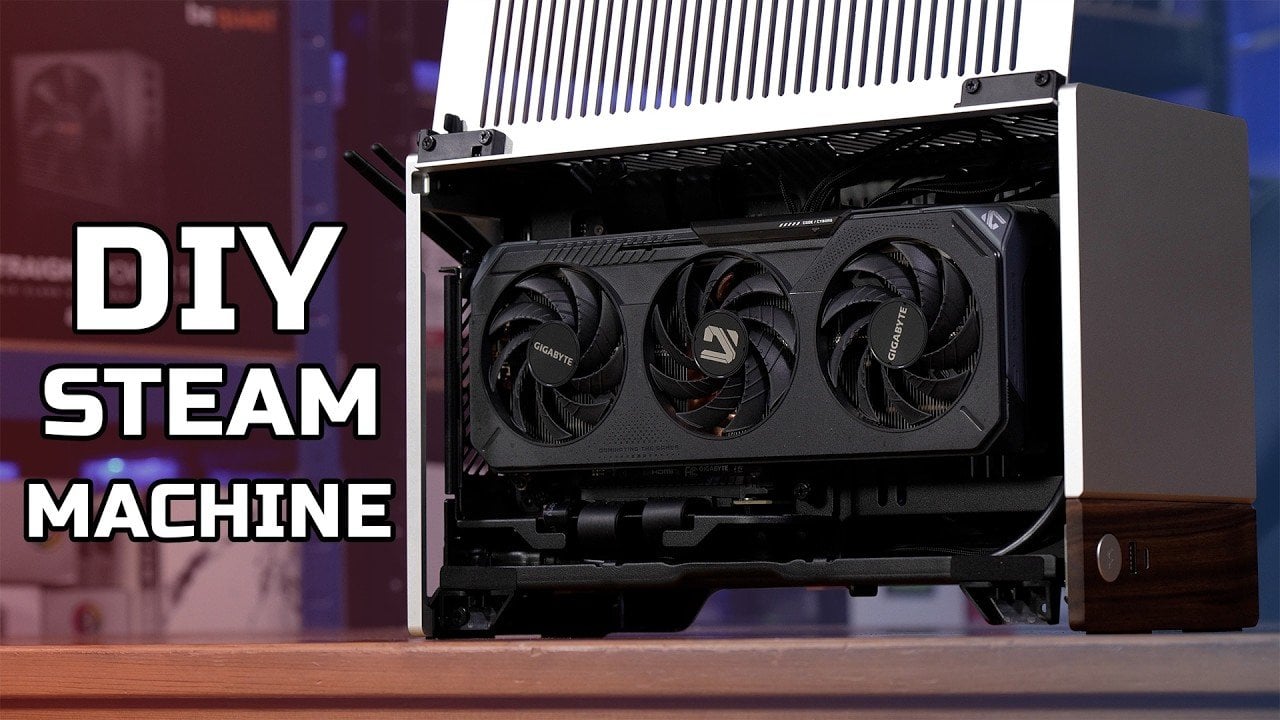
When the official Steam Machines became unavailable, TechteamGB decided to build a custom alternative using Steam OS as the foundation. The build features an AMD Ryzen 7600X processor and an AMD RX 6600 XT GPU, all housed in the compact Fractal Terra mini-ITX case. This combination delivers 4K gaming capabilities while doubling as a Home Theater PC (HTPC), demonstrating how modern hardware can meet both performance and space-saving needs.
Discover how to choose components that align with the constraints of a mini-ITX form factor. Learn the steps to install and configure Steam OS for a gaming-oriented setup. Gain insight into managing cooling and organizing cables to ensure both functionality and a clean aesthetic in your build.
Why Build a Custom Steam Machine?
TL;DR Key Takeaways :
- Building a custom Steam Machine allows gamers to combine modern hardware with Steam OS for a powerful, upgradeable and compact gaming system tailored to their needs.
- Recommended components include an AMD Ryzen 7600X CPU, AMD RX 6600 XT GPU, 32GB DDR5 RAM and a Fractal Terra mini-ITX case for a balance of performance and compact design.
- Steam OS provides a streamlined, gaming-focused operating system with features like 4K gaming, HTPC functionality and a user-friendly interface.
- The total build cost is approximately £1,500, but budget-friendly alternatives, such as lower-tier GPUs or simpler cases, can reduce expenses without sacrificing performance significantly.
- A DIY Steam Machine offers long-term benefits like easy upgrades, customization options and the satisfaction of creating a system tailored to personal gaming and entertainment preferences.
The original Steam Machines, once envisioned as a bridge between PC gaming and console convenience, are no longer widely available. However, the concept remains relevant for gamers who value the streamlined experience of Steam OS. Building your own Steam Machine offers several compelling advantages:
- Access to Modern Hardware: Equip your system with the latest components for superior gaming performance.
- Upgrade Flexibility: Easily replace or enhance components as technology evolves, making sure your system stays up-to-date.
- Compact Design: Create a console-like system that supports 4K gaming and doubles as a Home Theater PC (HTPC).
By taking the DIY route, you gain the freedom to design a system that meets your specific gaming and entertainment needs while enjoying the satisfaction of building it yourself.
Choosing the Right Components
Selecting the right hardware is critical to achieving a balance between performance, cost and compactness. Below is a breakdown of the components recommended for this build:
- CPU: AMD Ryzen 7600X, paired with an ASRock B650i Lightning motherboard, delivers excellent processing power and future-proofing.
- RAM: 32GB HyperX DDR5-5600 ensures fast, reliable multitasking and smooth gaming performance.
- Storage: A 2TB Sabrent Rocket 4 Gen 4×4 NVMe SSD provides ample space for games and rapid load times.
- GPU: AMD RX 6600 XT (8GB) offers solid 4K gaming performance for most modern titles.
- Cooling: The Noctua L9A AM5 cooler, paired with custom ducting, ensures efficient heat management in a compact form factor.
- Case: Fractal Terra mini-ITX, chosen for its sleek, compact design and aesthetic appeal.
- Power Supply: Corsair SF750 provides reliable power delivery in a small form factor, ideal for mini-ITX builds.
These components strike a balance between performance and size, making them ideal for a compact yet powerful gaming system. Depending on your budget, you can adjust certain components to better suit your needs.
Unlock more potential in DIY Steam Machine by reading previous articles we have written.
Assembling Your Steam Machine
Building your custom Steam Machine requires patience and attention to detail, but the process is manageable even for first-time builders. Follow these steps to assemble your system:
- Install the CPU, RAM, SSD and cooler onto the motherboard before placing it into the case.
- Secure the GPU and power supply in the case, making sure all connections are properly seated.
- Carefully route cables to optimize airflow and maintain a clean appearance, especially in the limited space of a mini-ITX case like the Fractal Terra.
Proper cable management is essential for maintaining efficient cooling and a tidy build. Take your time during this step to ensure your system runs smoothly and looks professional.
Installing Steam OS
Steam OS serves as the core of your custom Steam Machine, offering a gaming-focused operating system optimized for performance. Installing Steam OS is a straightforward process:
- Create a bootable USB drive with the Steam OS installer, which can be downloaded from the official website.
- Boot your system from the USB drive and follow the on-screen instructions to install the operating system.
Once installed, Steam OS provides a console-like experience with minimal distractions. Key features include:
- 4K Gaming: With the AMD RX 6600 XT and Ryzen 7600X, most games run at 60fps on high settings.
- HTPC Functionality: Seamlessly integrate your system with a living room setup, including support for sleep mode and media playback.
- Streamlined Interface: Steam OS offers a user-friendly interface tailored for gaming, reducing the clutter often associated with traditional operating systems.
While Steam OS is optimized for gaming, occasional challenges such as controller pairing issues or system freezes may arise. These can typically be resolved through updates or basic troubleshooting.
Performance and Cost Considerations
The performance of a DIY Steam Machine far exceeds that of the original models, thanks to modern hardware. However, this performance comes at a cost. The total build price is approximately £1,500, which is higher than the original Steam Machines but justified by the significant upgrades in CPU, GPU and RAM. If budget constraints are a concern, consider these cost-saving alternatives:
- Choose a less expensive case or power supply without compromising reliability.
- Opt for a slightly lower-tier GPU, such as the AMD RX 6600, to reduce costs while maintaining decent performance.
These adjustments allow you to build a capable system while staying within your budget.
Upgradeability and Customization
One of the most significant advantages of building your own Steam Machine is its flexibility. Unlike prebuilt systems, a DIY build allows for easy upgrades and customization. For example:
- Upgrade the GPU to a more powerful model as new games demand higher performance.
- Add additional SSDs to expand storage capacity for your growing game library.
- Enhance cooling with custom solutions, such as improved fans or liquid cooling, for quieter and more efficient operation.
This adaptability ensures your system remains relevant and capable of handling future gaming and entertainment needs.
Building Your Ideal Gaming System
Creating your own Steam Machine combines the simplicity of a console with the power and flexibility of a PC. Steam OS provides a solid foundation for gaming and HTPC functionality, while modern components deliver excellent performance. Although the DIY approach requires an upfront investment of time and money, it offers long-term benefits such as upgradeability, customization and the satisfaction of building a system tailored to your preferences. For gamers seeking a versatile, living room-friendly setup, building a custom Steam Machine is a practical and rewarding endeavor.
Media Credit: TechteamGB
Filed Under: Gaming News, Guides
Disclosure: Some of our articles include affiliate links. If you buy something through one of these links, Geeky Gadgets may earn an affiliate commission. Learn about our Disclosure Policy.
