
Close Menu

    Subscribe to Updates

    Get the latest creative news from FooBar about art, design and business.

    Latest Post

    How to Troubleshoot Common Android Issues

    April 24, 2026

    Console Archives NINJA GAIDEN III: The Ancient Ship of Doom launches April 23

    April 24, 2026

    Black Flag Resynced Looks Awesome In Reveal Trailer, Launching July 9 – WGB

    April 24, 2026
    Facebook X (Twitter) Instagram
    Trending
    • How to Troubleshoot Common Android Issues
    • Console Archives NINJA GAIDEN III: The Ancient Ship of Doom launches April 23
    • Black Flag Resynced Looks Awesome In Reveal Trailer, Launching July 9 – WGB
    • Every Game Announced at ID@Xbox Spring 2026 Showcase
    • How to Open Warren’s Safe in REPLACED
    • Latest Elden Ring movie leak features lettuce and one of the game’s most infamous characters
    • Yoshi and the Mysterious Book pre-orders
    • Malagasy folklore-inspired action adventure game Kalanoro announced for PS5, Xbox Series, Switch, and PC
    Facebook X (Twitter) Instagram YouTube
    Beteja – Gaming News, Reviews & Latest Releases
    • Home
    • Console Gaming
    • Esports
    • Latest News
    • Mobile Games
    • New Releases
    • PC Gaming
    • Reviews
      • Upcoming Games
    Beteja – Gaming News, Reviews & Latest Releases
    Home»New Releases»How To Skip the Nioh 3 Intro Videos on PC
    New Releases

    How To Skip the Nioh 3 Intro Videos on PC

    AdminBy AdminFebruary 21, 2026No Comments3 Mins Read
    Facebook Twitter Pinterest LinkedIn Tumblr Email
    How To Skip the Nioh 3 Intro Videos on PC
    Share
    Facebook Twitter LinkedIn Pinterest Email

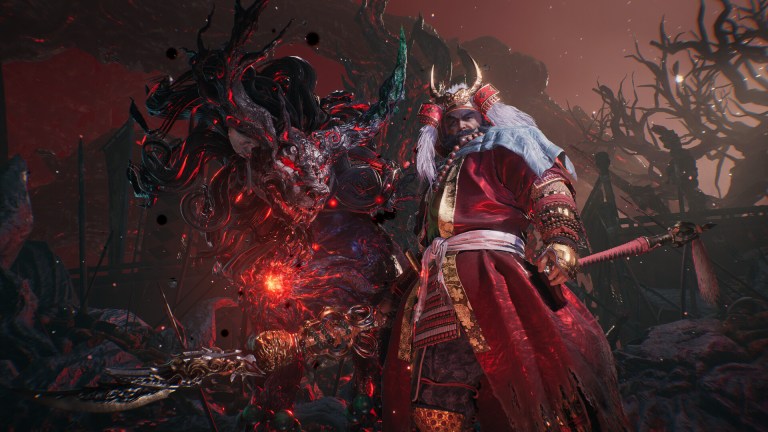
    Nioh 3 is one of the best releases of the year, and despite a few technical shortcomings in the PC version, it’s Team Ninja’s best port to date. With a plethora of settings to adjust, you can customize several aspects of your Nioh experience.

    Though if you want to jump into Nioh 3 a bit faster at launch, here is how you can skip the intro logos and videos thanks to Lyall’s patch, which adds a few other neat features as well.

    Skip the Nioh 3 Intro Videos on PC

    The Nioh3Fix has several features that you can enable, but it skips the intro logos and videos in Nioh 3 by default. Here is how you can install this patch:

    • Make sure Nioh 3 isn’t running.
    • Head over to the following Codeberg link and download the latest patch (0.0.3 as of writing) file by clicking Nioh3Fix_0.0.3.zip under “Downloads”.
    • Head over to where Nioh 3 is installed on your PC and extract the zip file
      • You can locate the installation folder through Steam.
      • Head into your library, right-click on Nioh 3.
      • Select Manage, followed by Browse local files.

    steamapps\common\Nioh3

    That’s all you need to do, and the next time you launch Nioh 3, you will skip straight to the shader compilation screen followed by the main menu, saving you a few precious seconds.

    Nioh3Fix Other Features

    Outside of skipping the intro videos, Nioh3Fix has a bunch of extra optional features:

    • Custom resolutions: You can use custom resolution values to render Nioh 3.
    • Adjust LOD distance: Adjust “Multiplier” to increase the draw distance of level geometry.
    • (Experimental) Adjust framerate cap.
    • Menu Frame generation: Enables frame generation in the menus.
    • Support for <16:9 resolutions with corrected HUD issues.
    • Expanded support for ultrawide resolutions.
    • Fix cropped pre-rendered movies (ultrawide).
    • Fix vert- FOV in cutscenes (ultrawide).

    You can enable these by editing the Nioh3Fix.ini file in a text editor like Notepad. It is part of the same zip file as the patch.

    Screenshot by Prima Games

    All credits go to Lyall for creating and testing the patch. Their contributions are incredibly helpful for PC gamers, and you can learn about their work on their Patreon. There is a chance that Lyall will update this patch with new potential features to keep an eye on the releases page.

    You can further improve your Nioh 3 experience on PC by using a workaround for its camera stutter issue, a technical problem that has plagued the Katana Engine for a while. Team Ninja has released a few patches since the release, but those don’t address some of the lingering technical issues. That said, Nioh 3 is in a pretty good state otherwise and runs much better than their previous releases, like Wo Long: Fallen Dynasty and Rise of the Ronin.

    Share. Facebook Twitter Pinterest LinkedIn Tumblr Email
    Admin
    • Website

    Related Posts

    How to Open Warren’s Safe in REPLACED

    April 24, 2026

    Assassin’s Creed Black Flag Resynced is finally out this summer and “it is not an RPG”

    April 23, 2026

    The Super Mario Galaxy Movie’s Peach Reveal Might Become Canon

    April 23, 2026

    Ecco the Dolphin: Complete announced, includes remasters of the first two entries and brand-new game

    April 23, 2026
    Add A Comment
    Leave A Reply Cancel Reply

    You must be logged in to post a comment.

    Latest Post

    How to Troubleshoot Common Android Issues

    April 24, 2026

    Console Archives NINJA GAIDEN III: The Ancient Ship of Doom launches April 23

    April 24, 2026

    Black Flag Resynced Looks Awesome In Reveal Trailer, Launching July 9 – WGB

    April 24, 2026

    Every Game Announced at ID@Xbox Spring 2026 Showcase

    April 24, 2026
    Top Reviews
    New Releases

    How to Open Warren’s Safe in REPLACED

    By Admin
    New Releases

    Assassin’s Creed Black Flag Resynced is finally out this summer and “it is not an RPG”

    By Admin
    New Releases

    The Super Mario Galaxy Movie’s Peach Reveal Might Become Canon

    By Admin
    Beteja – Gaming News, Reviews & Latest Releases
    Facebook Instagram YouTube
    • About Us
    • Contact Us
    • Privacy Policy
    • Terms & Conditions
    • Disclaimer
    © 2026 Beteja.com

    Type above and press Enter to search. Press Esc to cancel.